Native Mod Menu [ASI] (Enhanced) 2.6
.png)
![Race Boost For All Vehicles [ASI] (Enhanced)](https://img.gta5-mods.com/q75-w500-h333-cfill/images/race-boost-for-all-vehicles-asi-enhanced/f62301-sssss.png "Race Boost For All Vehicles [ASI] (Enhanced)")
![Recruit Pedestrians [ASI] (Enhanced)](https://img.gta5-mods.com/q75-w500-h333-cfill/images/recruit-pedestrians-asi-enhanced/6c22bb-recruitpeds.png "Recruit Pedestrians [ASI] (Enhanced)")


46,795
68
46,795
68
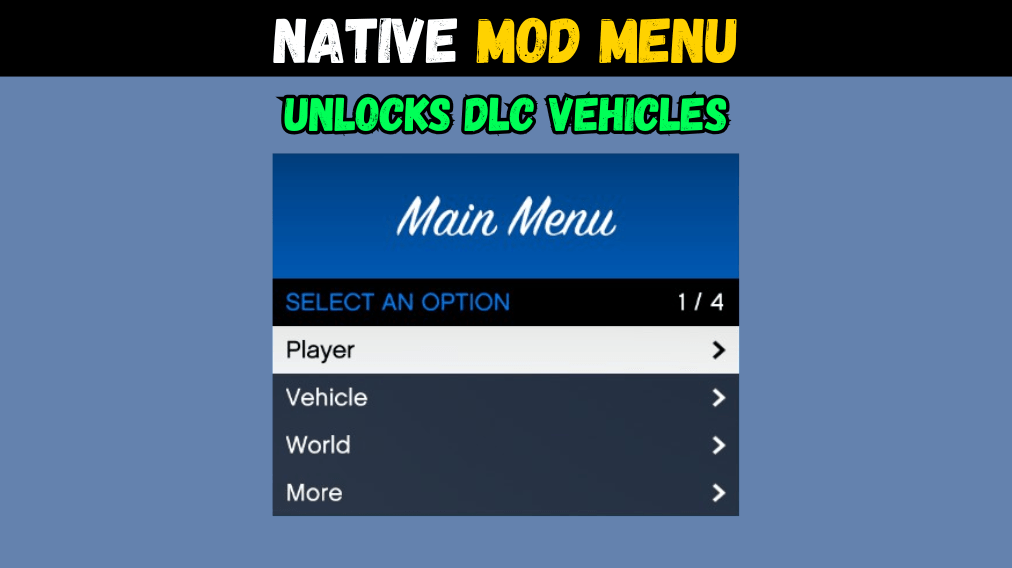
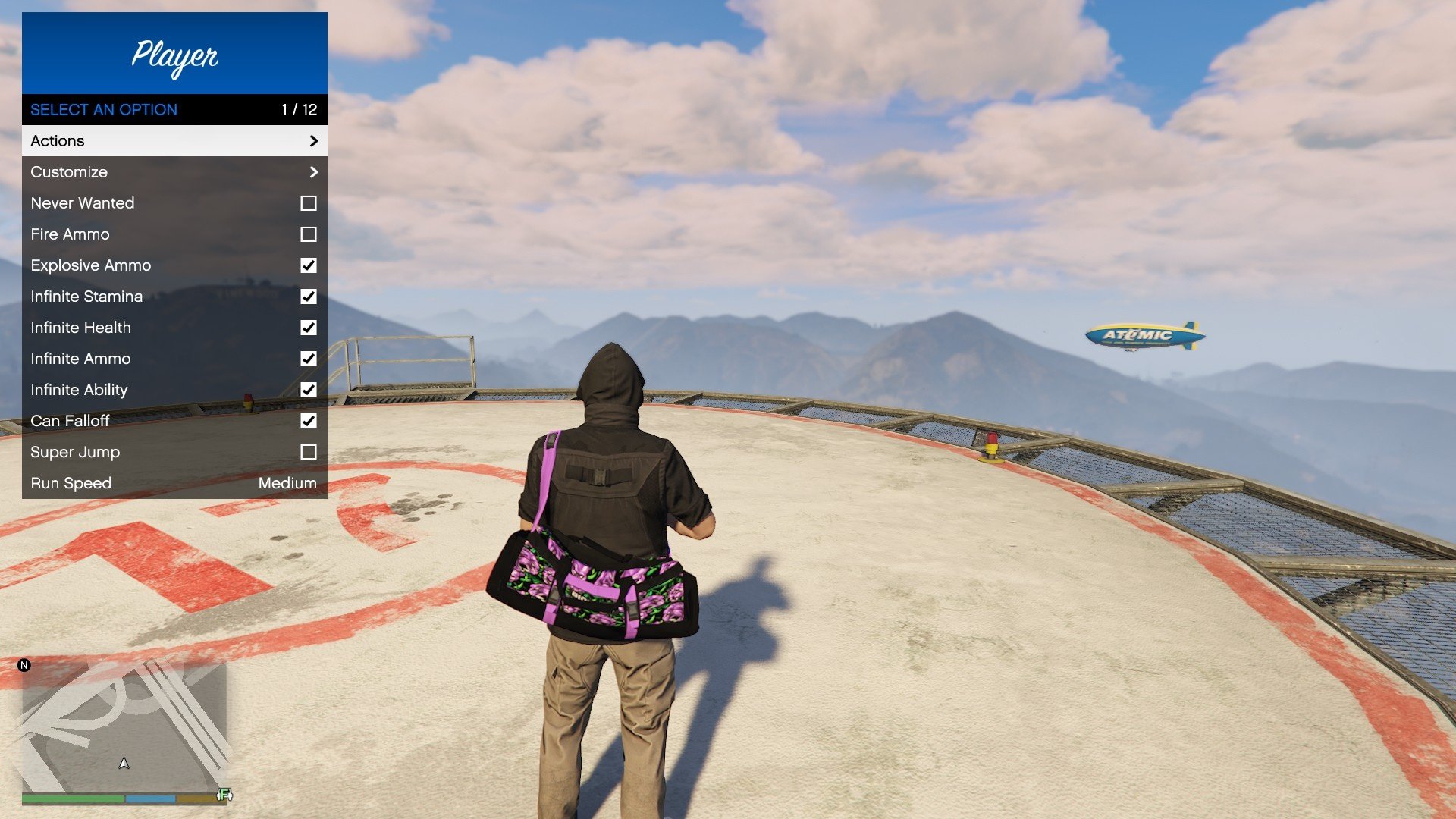
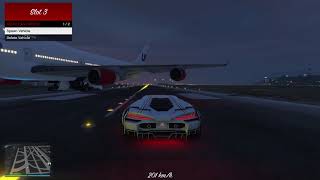
This is a native menu created without any UI libraries, it provides a simple menu with the most essential features.
Controller: Double tap DPAD-RIGHT.
Keyboard: Press PAGE DOWN.
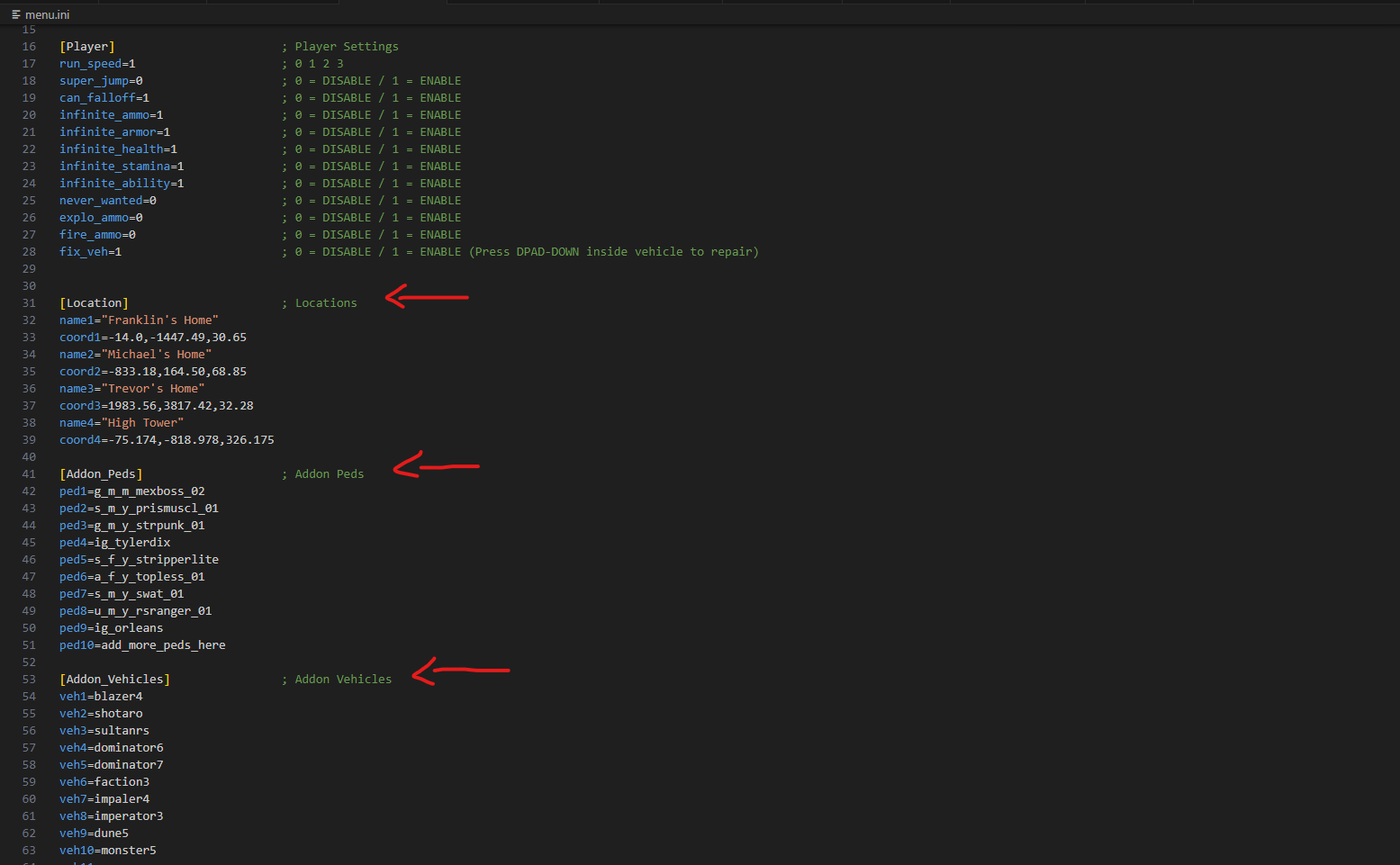
You can customize the menu settings inside the .ini file.
Requirements:
- Script Hook V (Link)
Installation:
- Copy both files into GTA V folder.
Features:
- Unlocks DLC Vehicles.
- Play scenario animations.
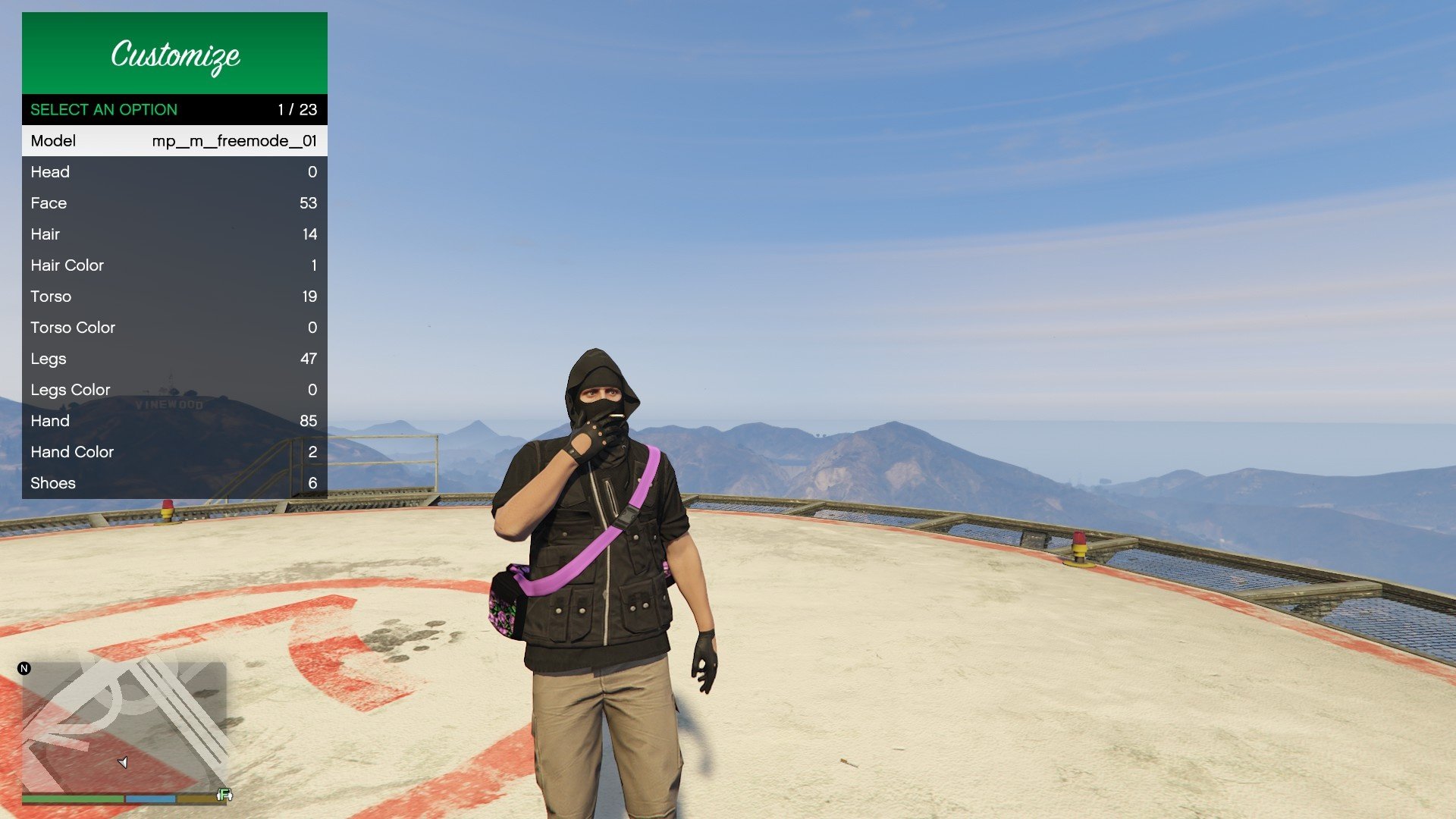
- Player customization menu.
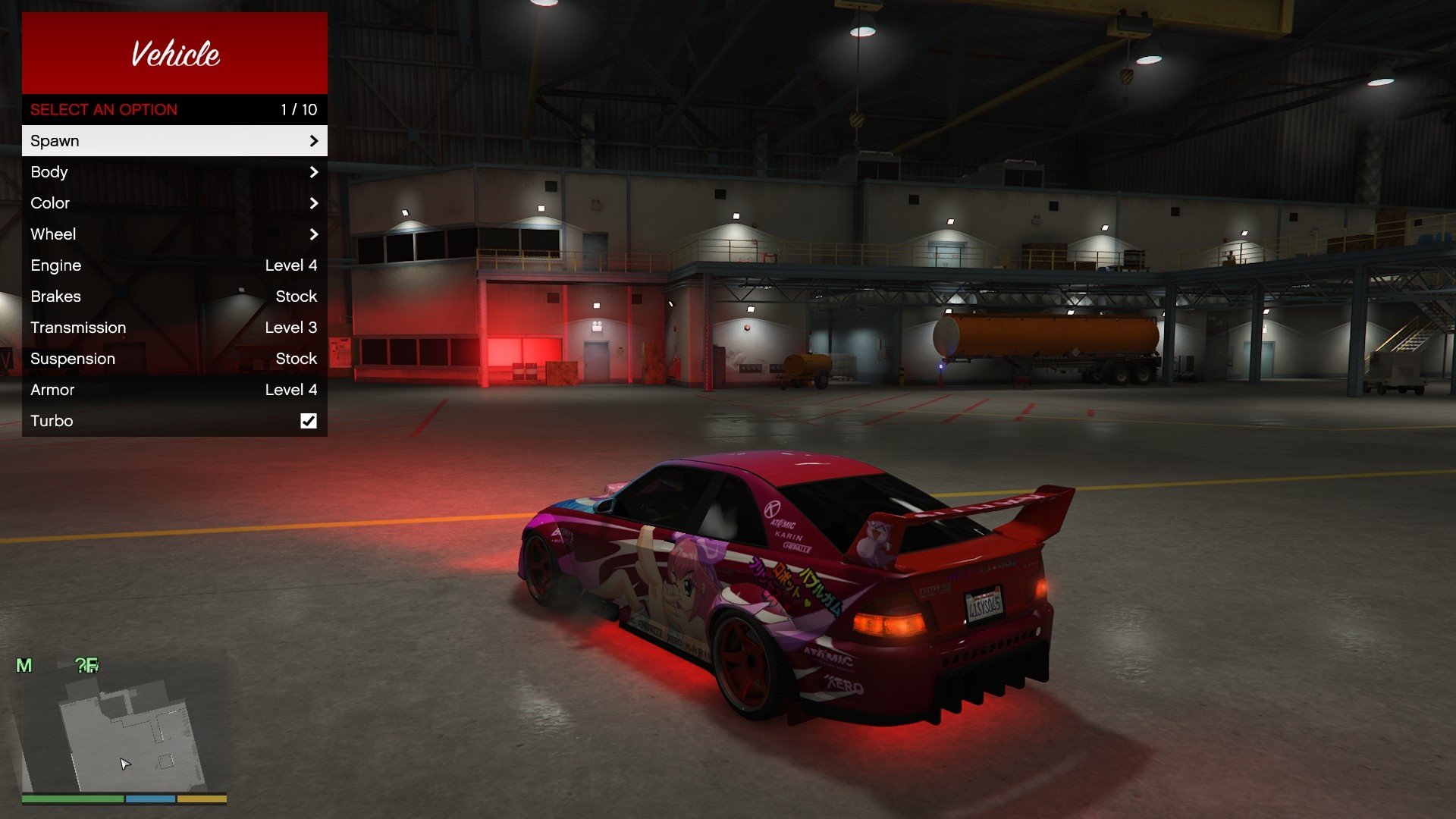
- Vehicle customization menu.
- Auto Load/Save player settings.
- Teleport player to saved locations.
- Teleport player to selected waypoint.
- Spawn original, addon or saved vehicles.
- Spawn original, addon or saved characters.
- You can customize all settings including colors.
Addon Peds / Vehicles:
- Open the "Addons" category.
- Click the last item on the list.
- Write the name of the addon.
Change Logs:
- Unlock DLC vehicles. (2.6)
- Added favorite outfits. (2.5)
- Added favorite vehicles. (2.5)
- Added vehicle speedometer. (2.5)
- Fixed customization issues. (2.5)
- Fixed default values. (2.4)
- Fixed traffic selector. (2.3)
- Fixed grayed out colors. (2.2)
- Organized vehicle menu. (2.1)
- Added vehicle horn boost. (2.1)
- Fixed vehicle color issues. (2.1)
- Added vehicle customization. (2.0)
- Added more settings. (2.0)
- Added color system. (2.0)
- Major code cleanup. (2.0)
- Fixed always invincible. (v1.9)
- Added traffic option. (v1.8)
- Fixed invincibility after cutscenes. (v1.8)
- Added all DLC vehicles. (v1.7)
- Sorted vehicles alphabetically. (v1.7)
- Added logic to save addon peds. (v1.6)
- Added logic to save addon vehicles. (v1.6)
- Added under color to player customization. (v1.6)
- Fixed addon models that are not included in dlclist.xml. (v1.6)
- Fixed MP vehicle despawn for latest update. (v1.5)
- Fixed teleport to waypoint falling off map. (v1.5)
- Added option to teleport to waypoint. (v1.4)
- Added option to give money to player. (v1.4)
- Added actions to player menu. (v1.4)
- Added flag to control menu items size. (v1.4)
- Fixed notifications overlapping menu. (v1.4)
- Fixed vehicles not saving in garage. (v1.4)
- Fixed window breaking at high speeds when repairing vehicle. (v1.3)
- Added jacket color to player customization. (v1.3)
- Changed notifications messages. (v1.2)
- Added separated entry for keyboard to ini file. (v1.2)
- Fix building error. (v1.1)
Controller: Double tap DPAD-RIGHT.
Keyboard: Press PAGE DOWN.
You can customize the menu settings inside the .ini file.
Requirements:
- Script Hook V (Link)
Installation:
- Copy both files into GTA V folder.
Features:
- Unlocks DLC Vehicles.
- Play scenario animations.
- Player customization menu.
- Vehicle customization menu.
- Auto Load/Save player settings.
- Teleport player to saved locations.
- Teleport player to selected waypoint.
- Spawn original, addon or saved vehicles.
- Spawn original, addon or saved characters.
- You can customize all settings including colors.
Addon Peds / Vehicles:
- Open the "Addons" category.
- Click the last item on the list.
- Write the name of the addon.
Change Logs:
- Unlock DLC vehicles. (2.6)
- Added favorite outfits. (2.5)
- Added favorite vehicles. (2.5)
- Added vehicle speedometer. (2.5)
- Fixed customization issues. (2.5)
- Fixed default values. (2.4)
- Fixed traffic selector. (2.3)
- Fixed grayed out colors. (2.2)
- Organized vehicle menu. (2.1)
- Added vehicle horn boost. (2.1)
- Fixed vehicle color issues. (2.1)
- Added vehicle customization. (2.0)
- Added more settings. (2.0)
- Added color system. (2.0)
- Major code cleanup. (2.0)
- Fixed always invincible. (v1.9)
- Added traffic option. (v1.8)
- Fixed invincibility after cutscenes. (v1.8)
- Added all DLC vehicles. (v1.7)
- Sorted vehicles alphabetically. (v1.7)
- Added logic to save addon peds. (v1.6)
- Added logic to save addon vehicles. (v1.6)
- Added under color to player customization. (v1.6)
- Fixed addon models that are not included in dlclist.xml. (v1.6)
- Fixed MP vehicle despawn for latest update. (v1.5)
- Fixed teleport to waypoint falling off map. (v1.5)
- Added option to teleport to waypoint. (v1.4)
- Added option to give money to player. (v1.4)
- Added actions to player menu. (v1.4)
- Added flag to control menu items size. (v1.4)
- Fixed notifications overlapping menu. (v1.4)
- Fixed vehicles not saving in garage. (v1.4)
- Fixed window breaking at high speeds when repairing vehicle. (v1.3)
- Added jacket color to player customization. (v1.3)
- Changed notifications messages. (v1.2)
- Added separated entry for keyboard to ini file. (v1.2)
- Fix building error. (v1.1)
First Uploaded: May 25, 2025
Last Updated: 3 days ago
Last Downloaded: 2 minutes ago
All Versions
80 Comments
This is a native menu created without any UI libraries, it provides a simple menu with the most essential features.
Controller: Double tap DPAD-RIGHT.
Keyboard: Press PAGE DOWN.
You can customize the menu settings inside the .ini file.
Requirements:
- Script Hook V (Link)
Installation:
- Copy both files into GTA V folder.
Features:
- Unlocks DLC Vehicles.
- Play scenario animations.
- Player customization menu.
- Vehicle customization menu.
- Auto Load/Save player settings.
- Teleport player to saved locations.
- Teleport player to selected waypoint.
- Spawn original, addon or saved vehicles.
- Spawn original, addon or saved characters.
- You can customize all settings including colors.
Addon Peds / Vehicles:
- Open the "Addons" category.
- Click the last item on the list.
- Write the name of the addon.
Change Logs:
- Unlock DLC vehicles. (2.6)
- Added favorite outfits. (2.5)
- Added favorite vehicles. (2.5)
- Added vehicle speedometer. (2.5)
- Fixed customization issues. (2.5)
- Fixed default values. (2.4)
- Fixed traffic selector. (2.3)
- Fixed grayed out colors. (2.2)
- Organized vehicle menu. (2.1)
- Added vehicle horn boost. (2.1)
- Fixed vehicle color issues. (2.1)
- Added vehicle customization. (2.0)
- Added more settings. (2.0)
- Added color system. (2.0)
- Major code cleanup. (2.0)
- Fixed always invincible. (v1.9)
- Added traffic option. (v1.8)
- Fixed invincibility after cutscenes. (v1.8)
- Added all DLC vehicles. (v1.7)
- Sorted vehicles alphabetically. (v1.7)
- Added logic to save addon peds. (v1.6)
- Added logic to save addon vehicles. (v1.6)
- Added under color to player customization. (v1.6)
- Fixed addon models that are not included in dlclist.xml. (v1.6)
- Fixed MP vehicle despawn for latest update. (v1.5)
- Fixed teleport to waypoint falling off map. (v1.5)
- Added option to teleport to waypoint. (v1.4)
- Added option to give money to player. (v1.4)
- Added actions to player menu. (v1.4)
- Added flag to control menu items size. (v1.4)
- Fixed notifications overlapping menu. (v1.4)
- Fixed vehicles not saving in garage. (v1.4)
- Fixed window breaking at high speeds when repairing vehicle. (v1.3)
- Added jacket color to player customization. (v1.3)
- Changed notifications messages. (v1.2)
- Added separated entry for keyboard to ini file. (v1.2)
- Fix building error. (v1.1)
Controller: Double tap DPAD-RIGHT.
Keyboard: Press PAGE DOWN.
You can customize the menu settings inside the .ini file.
Requirements:
- Script Hook V (Link)
Installation:
- Copy both files into GTA V folder.
Features:
- Unlocks DLC Vehicles.
- Play scenario animations.
- Player customization menu.
- Vehicle customization menu.
- Auto Load/Save player settings.
- Teleport player to saved locations.
- Teleport player to selected waypoint.
- Spawn original, addon or saved vehicles.
- Spawn original, addon or saved characters.
- You can customize all settings including colors.
Addon Peds / Vehicles:
- Open the "Addons" category.
- Click the last item on the list.
- Write the name of the addon.
Change Logs:
- Unlock DLC vehicles. (2.6)
- Added favorite outfits. (2.5)
- Added favorite vehicles. (2.5)
- Added vehicle speedometer. (2.5)
- Fixed customization issues. (2.5)
- Fixed default values. (2.4)
- Fixed traffic selector. (2.3)
- Fixed grayed out colors. (2.2)
- Organized vehicle menu. (2.1)
- Added vehicle horn boost. (2.1)
- Fixed vehicle color issues. (2.1)
- Added vehicle customization. (2.0)
- Added more settings. (2.0)
- Added color system. (2.0)
- Major code cleanup. (2.0)
- Fixed always invincible. (v1.9)
- Added traffic option. (v1.8)
- Fixed invincibility after cutscenes. (v1.8)
- Added all DLC vehicles. (v1.7)
- Sorted vehicles alphabetically. (v1.7)
- Added logic to save addon peds. (v1.6)
- Added logic to save addon vehicles. (v1.6)
- Added under color to player customization. (v1.6)
- Fixed addon models that are not included in dlclist.xml. (v1.6)
- Fixed MP vehicle despawn for latest update. (v1.5)
- Fixed teleport to waypoint falling off map. (v1.5)
- Added option to teleport to waypoint. (v1.4)
- Added option to give money to player. (v1.4)
- Added actions to player menu. (v1.4)
- Added flag to control menu items size. (v1.4)
- Fixed notifications overlapping menu. (v1.4)
- Fixed vehicles not saving in garage. (v1.4)
- Fixed window breaking at high speeds when repairing vehicle. (v1.3)
- Added jacket color to player customization. (v1.3)
- Changed notifications messages. (v1.2)
- Added separated entry for keyboard to ini file. (v1.2)
- Fix building error. (v1.1)
First Uploaded: May 25, 2025
Last Updated: 3 days ago
Last Downloaded: 2 minutes ago
 5mods on Discord

Hey everyone, let me know if you think there's any feature that you'd like to be present, please take in consideration that this is not meant to be a complete trainer, just a simple menu with some essential features for my personal use.
@Aleksandr David You will be able to use the menu but not the DLC vehicles, this menu was created for enhanced version.
I will see what I can do...
@MDXNaTioN To include a new ped in the game files you need something like https://www.gta5-mods.com/tools/openrpf-openiv-asi-for-gta-v-enhanced to load content from a "mods" folder in enhanced edition. Then you need to use OpenIV to modify the RPF inside the "mods" folder and add your addon ped.
My menu only allows people to add their addons to the menu, but they must exist in the game files.
@NativeCoder whats DLC vehicles? is it same as npcs used?
I pasted both files into the GTA 5 exe, but the mod PROBABLY doesn't work. Or maybe I couldn't find the right key, please help. Note: (I also cleared all the controls from F4 to F12 with a suggestion) but I couldn't open the menu at all.
hey, why do i always get teleported out of the car when i try to enter it, ive only tried witht the ignus but i think it also affects other vechicles
My game just simply don t open menu ...i pressed button but don t open...
The mod menu is great but I don't like that this mod makes the walking speed faster by default and makes them look awkward and unnatural.
at gta v enhanced version 1.0.811.8 not works.
Is there any option to play the main story as another character. Like character swap mod or Dealein adjustment did for the legacy version.
@NativeCoder I'm facing the same issue where the game kicks me out of new DLC cars. Game version is Build 811.8/Online 1.70, I'm using the fitgirl repack version of GTA V enhanced. How do i ensure compatibility?
I cannot get the menu to open but I don't know if it's because of incorrect installation or an outdated client. Can i get some help?
when the new updates?
heloo. pg down and trainer isnt working
when i try to get in a vheicle like the oppressormk2 it boots me out shortly after, how to fix?
@NativeCoder Hola, me pasa lo mismo que al que creo el primer comentario, después de unos segundos se me baja del coche, por mi parte yo uso la versión de Steam, hay alguna manera de arreglarlo?
@playerxz5412 I have the same problem, did you solve it?
@dylanvtuber I have the same problem, did you solve it?
@dylanvtuber @playerxz5412 @michaeldi4 Sorry about that, problem is fixed now, thanks!
@syoung777 Hey man, can you please reconsider improving your review? You can change your walk speed in-game and you don't need to change it anymore, everything is saved and loaded next time you open the game.
please add vehicle god mode and max tuned vehicle when spawned